

A five-dollar battery is the only thing standing between a running CNC machine and a full re-zeroing of every axis — possibly a full parameter rebuild. FANUC systems use backup batteries in two places, each guarding different data, and the replacement procedure has one non-negotiable rule that shops learn the hard way. This guide covers what each battery does, how to read the alarms, and exactly how to swap them without losing anything.
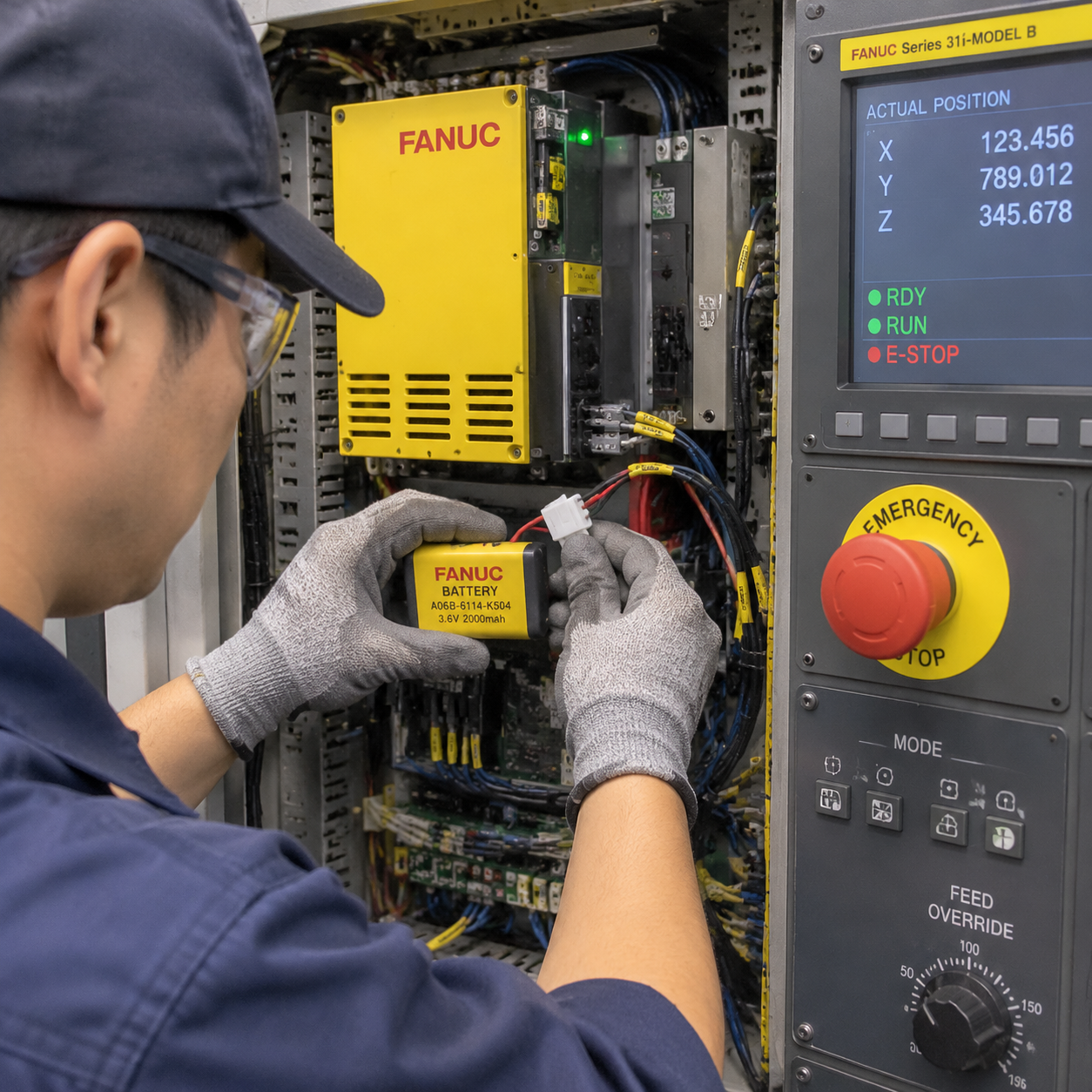
Two Batteries, Two Jobs: Memory Battery vs. APC Battery
FANUC installations typically carry two independent battery systems, and confusing them leads to the wrong purchase and the wrong procedure:
- The CNC memory battery backs the control’s SRAM — part programs, tool offsets, parameters, and macro variables. It lives in the CNC unit itself, and when it dies, the screen goes dark with an alarm and the memory is gone.
- The APC (absolute pulse coder) battery backs the absolute position encoders on each servo axis. It lives with the servo amplifier or in a battery case on the machine, and when it dies, the control no longer knows where any axis is.
Both are small lithium or alkaline packs with years-long service lives, and both are cheap. The data they protect is not. Industrial Automation Company, which documents FANUC battery replacement for shops daily, emphasizes treating both batteries as scheduled maintenance items, not wait-for-the-alarm items — because the alarm is a last warning, not a first one.
Alarm 307 and What It Really Tells You
Alarm 307 (APC battery low) means the absolute-pulse-coder batteries are nearly exhausted. As Industrial Monitor Direct’s troubleshooting reference explains, the alarm is the system telling you the batteries are “going dead” — and the practical instruction from the field is stark: replace them within about a week of the message appearing. Ignore it, and the next power cycle erases every axis position.
Related codes belong to the same family: Alarm 306 flags low battery voltage in a related path, and the battery symbol in the CNC status display accompanies both. On the memory side, a dead SRAM battery announces itself differently — typically a system alarm on boot with lost parameters — and recovering from that is a restoration exercise, not a five-minute swap. Either alarm deserves same-day attention, not a spot on next week’s PM list.
The Golden Rule: Replace With Power On
Every APC battery procedure in FANUC documentation shares one rule, repeated because violating it is catastrophic: the battery must be replaced while the servo unit is powered on, with the machine in emergency stop. The batteries maintain absolute position data only while that circuit is alive; cut power with a depleted battery and the reference positions are gone.
With power on and E-stop engaged, the encoder circuits draw from the machine supply instead of the battery, and the swap becomes a non-event. With power off, the battery is the only thing holding the position — and an old battery under load for even a minute can drop below the retention voltage. This is also why the procedure is scheduled during production pauses with the cabinet accessible, not during a full lockout: the lockout/tagout instinct must be modified here to a controlled-power procedure, documented and trained, not improvised at the cabinet door.
Step-by-Step: Replacing the APC Battery Safely
The field-verified sequence, consistent across FANUC documentation and the shop procedures documented by Industrial Monitor Direct and Industrial Automation Company:
- Plan the window: machine idle, axes at a stable position, and a fresh battery of the exact correct type in hand — not on order.
- Engage emergency stop on the machine. This kills drive enable while keeping control and encoder circuits powered.
- Confirm the servo unit is live — the display or status LEDs should show control power present.
- Open the battery cover on the servo amplifier or battery case.
- Note the connector orientation, then disconnect the old battery’s plug. Work briskly — the window is minutes, not seconds, but there is no reason to stretch it.
- Install the new battery of the identical type and polarity, reconnect fully, and confirm the retention is seated.
- Close the cover, release E-stop, and verify the alarm clears and each axis retains its position.
- Log the date and battery type in the maintenance record, and set the next replacement on the calendar.
One variation to know: some machines carry the D-cell pack in a separate battery case on the machine rather than on the amplifier, and the case holds four cells that must be replaced as a set — mixing old and new cells can collapse the pack voltage and cost the positions you were protecting.
Battery Types, Order Codes and Replacement Intervals
The FANUC battery zoo is smaller than it looks, but ordering by appearance instead of order code is a common mistake. The main families:
- A98L-0031-0011#L — the 6-V lithium battery pack used in many αi/βi amplifier configurations.
- A98L-0031-0028 — a 3-V lithium cell used across several CNC and servo configurations, stocked as a direct replacement.
- Alkaline D-cell packs in the A98L-0004-0149-style battery case — four standard D-size cells per the service guidance, replaced every 12 months with a mid-cycle voltage check at 6 months.
The maintenance-calendar difference matters: lithium packs run for years, while alkaline D-cell installations are an annual replacement item by procedure. A 6-month voltage check on the alkaline packs catches the weak-cell pattern before the Alarm 307 window opens.
When the Battery Died Completely: Recovering the Machine
If the machine arrives at this article with a dead battery and lost positions rather than a warning, the recovery is well-trodden: power up, replace the battery with the machine on (the rule still applies), then re-establish the reference positions per the machine builder’s procedure — jog each axis to the reference mark, perform the reference-point return, and verify against a known part position or the machine’s setup sheet. If SRAM parameters were also lost, restore from the archived backup first; this is the moment that separates shops with a current parameter archive from shops with a very bad day. Keep that archive on a network drive, dated, with the battery log next to it — both are five-minute disciplines that make the worst case a one-hour recovery.
For programs managing fleets rather than single machines, keeping the right cells on the shelf is its own discipline — our stock includes the A98L-0031-0028 FANUC lithium battery and related cells for fast dispatch, and the same replacement logic applies across platforms — see our ControlLogix battery replacement guide for the Allen-Bradley counterpart.
Building the Battery Into the Maintenance Calendar
The shops that never lose a position are the ones that stopped treating batteries as emergencies years ago. The working pattern is simple: a dated battery log inside the control cabinet or in the CMMS, a scheduled replacement interval per battery chemistry (lithium packs on inspection, alkaline D-cell packs annually with a 6-month voltage check), and a standing shelf stock of one spare pack per machine type. Pair that with a quarterly parameter-and-position archive to a network location, and the two failure modes this article describes — the ignored Alarm 307 and the dead pack discovered at power-up — both become non-events. The cost of the entire discipline is under a hundred dollars a year per machine; the cost of one unplanned position recovery, in most shops, is a full shift.
Frequently Asked Questions
What does FANUC Alarm 307 mean?
Alarm 307 means the absolute pulse coder (APC) battery voltage is low and the battery must be replaced — guidance is to replace it within about a week of the message. Continuing to run risks losing all axis reference positions at the next power cycle.
Can I replace a FANUC battery with the power off?
No for APC batteries — the positions are lost if power is removed before a fresh battery is connected. The procedure is: machine powered on, emergency stop engaged, swap quickly, verify. Memory batteries in the CNC unit follow the CNC’s own service procedure, but the same powered-swap logic protects SRAM data.
How often should FANUC batteries be replaced?
Lithium packs last for years but should be on a scheduled inspection cycle. Alkaline D-cell packs are a 12-month scheduled replacement with a 6-month voltage check. Alarm 307 on any system means replace within the week, regardless of the calendar.
What battery replaces A98L-0031-0011?
The #L suffix designates the 6-V lithium pack specified for those amplifier configurations; ordering must match the order code and suffix, since mechanically similar cells differ in voltage and connector. When in doubt, match the code on the existing battery’s label exactly.
What happens if the APC battery dies completely?
All absolute position references are lost, and the machine requires a full reference-point re-establishment per the machine builder’s procedure — typically under an hour with documentation, considerably more without a parameter backup if SRAM was also affected. The lesson holds either way: replace on the alarm, not after the failure.
Conclusion
FANUC battery maintenance is a five-dollar, five-minute discipline with a five-figure failure mode. Learn the two-battery map, respect the power-on rule, stock the correct cells, and the alarms become routine instead of emergencies.
OUKE stocks tested FANUC batteries including the A98L-0031-0028 lithium cell for fast global dispatch. For battery and backup strategy across a mixed fleet — FANUC, Siemens, Allen-Bradley — send us your machine list and we will map the cells, codes and replacement intervals in one document.